 in your browser, then choose "Add to Home Screen".
On this site, you can choose the bot's strength from 10 levels. This article explains how the levels differ, which level to start with, and how the bot holds back its strength.
Contents
Level list
The bot has 10 levels, from 0 (the weakest) to 9 (the strongest).
| Level | Name | Best Move % | Blunder % |
|---|---|---|---|
| 0 | Absolute Beginner | 5% | 52% |
| 1 | Super Beginner | 8% | 41% |
| 2 | Beginner | 12% | 35% |
| 3 | Novice | 20% | 24% |
| 4 | Elementary | 30% | 15% |
| 5 | Lower Intermediate | 40% | 9% |
| 6 | Intermediate | 50% | 5% |
| 7 | Upper Intermediate | 65% | 2% |
| 8 | Advanced | 80% | 0.4% |
| 9 | Master | 100% | 0% |
- Best Move % is the chance that, on each move, the bot plays the best move (or a move almost as good).
- Blunder % is the chance that, on each move, the bot makes a big mistake, such as giving away a piece for free.
A Level 0 bot makes a big mistake about once every two moves. A Level 9 bot plays the best move every time.
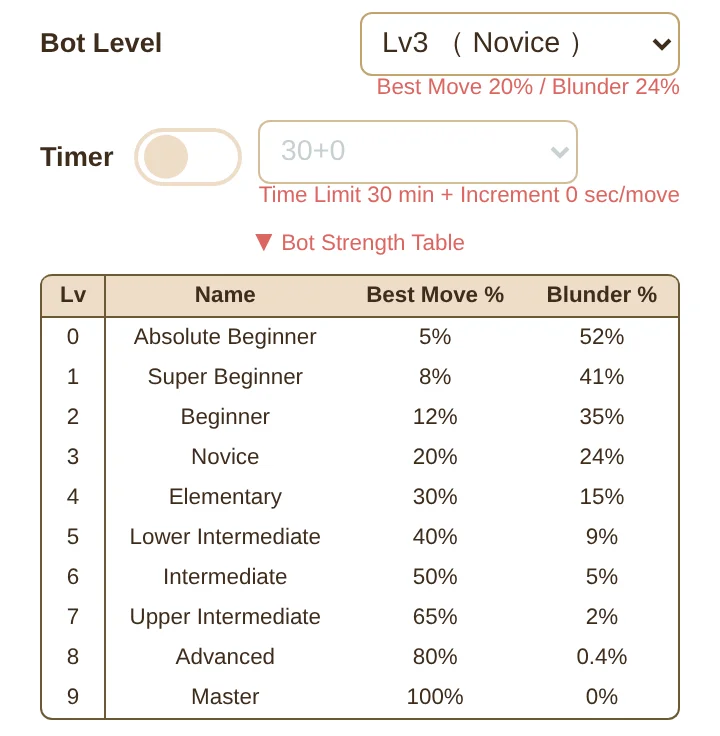 Press "Bot Strength Table" on the new game screen to open this table.
The level names are just what we call them on this site. They do not match chess ratings (the numbers that measure a player's strength).
Which level should I start with?
Here is a rough guide.
- If you have just learned the rules, start at Levels 0 to 2. The bot makes many mistakes, so you can practice capturing pieces and giving checkmate.
- Once you can avoid losing pieces for free, try moving up to Levels 3 to 5.
- When you start winning, move up one level at a time.
I started at Level 0. My rule is to move on to the next level after three wins, and right now I'm struggling to get my third win against Level 4.
At Level 0, I started winning after studying about three games on the Lessons page.
Even so, the wins didn't come easily, so I made a habit of looking back over each game with AI analysis and checking the best moves before trying again.
If you get stuck, make good use of the lessons, puzzles, and AI analysis!
How does the bot hold back?
The bot on this site uses a chess AI called Stockfish. Stockfish on its own is stronger than the human world champion, so we make it hold back to match each level.
It holds back in these three ways.
-
How many moves ahead it reads
Level 0 reads up to 3 moves ahead, and Level 4 and above read up to 12 moves ahead. The shallower it reads, the harder it is for the bot to find good moves that look far ahead.
-
How many candidate moves it lists
Level 0 lists 10 moves, and Level 9 lists just 1. The more candidates there are, the more likely it is to pick a move that isn't good.
-
How often it makes mistakes on purpose
- The candidate moves are sorted into "good moves," "mistakes," and "blunders" by how far they fall behind the best move.
- With a chance set for each level, the bot picks its move from the "mistakes" or "blunders."
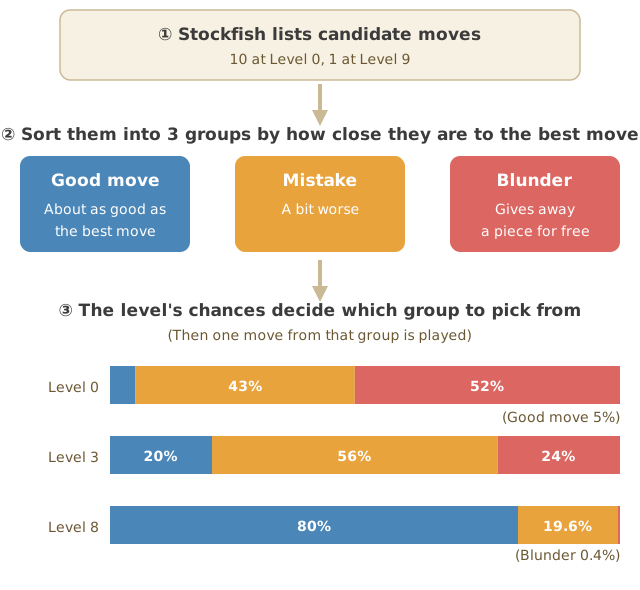 The higher the level, the more likely the bot picks from the "good moves," and the less likely it blunders.
You can read more about how chess AI works in "What Is Stockfish? The Chess AI's Strength, How It Works, and How to Read Its Evaluation."
The bot gets stronger in the endgame and when it can checkmate
The bot's strength changes a little depending on the position.
- It makes fewer mistakes in the endgame, when few pieces are left. When there are fewer than 10 pieces on the board, its chance of making a mistake goes down a little.
- It always checkmates when it can. At every level, it never misses a move that gives checkmate.
So even a weak bot can turn the game around if you get careless in the endgame.
In games against people, your opponent also gets serious toward the endgame, so we set up the bot to do the same.
The hint (assist) feature
If you're not sure what to play during a game, press the "Hint" button and the bot will suggest your next move.
- The suggestion comes from a Level 8 (Advanced) bot.
- When you press the button, the square of the piece to move lights up right away, and after 15 seconds the destination square lights up too. Try to work out where to move it on your own first.
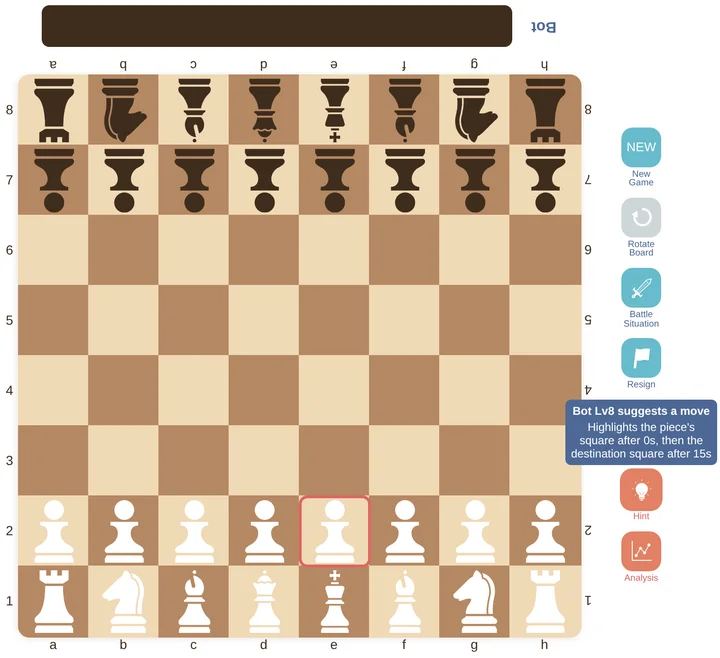 When you press the Hint button, the square of the piece to move (here, the pawn on e2) lights up first.
How to play against the bot
- Press the "New Game" button on the game screen.
- Choose the "Bot" tab.
- Choose your color (White or Black) and the bot's level.
- Press "OK" to start the game.
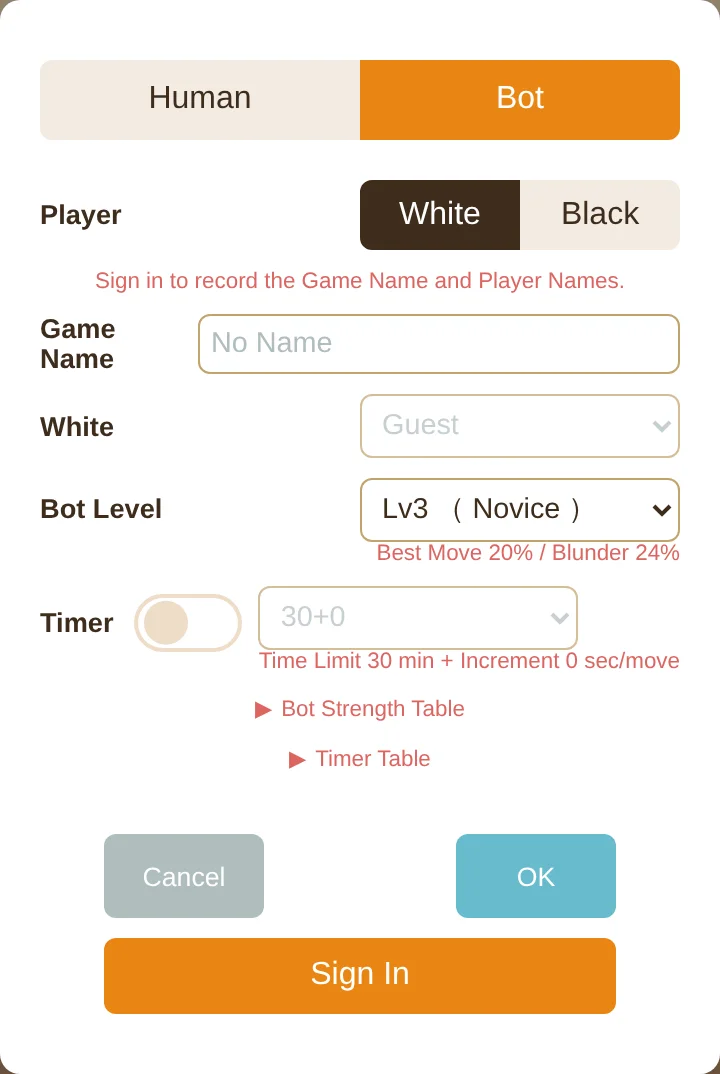 Choose the "Bot" tab, then pick your color and the level.
You can play against the bot without signing up. You can also look back over finished games with AI analysis.


